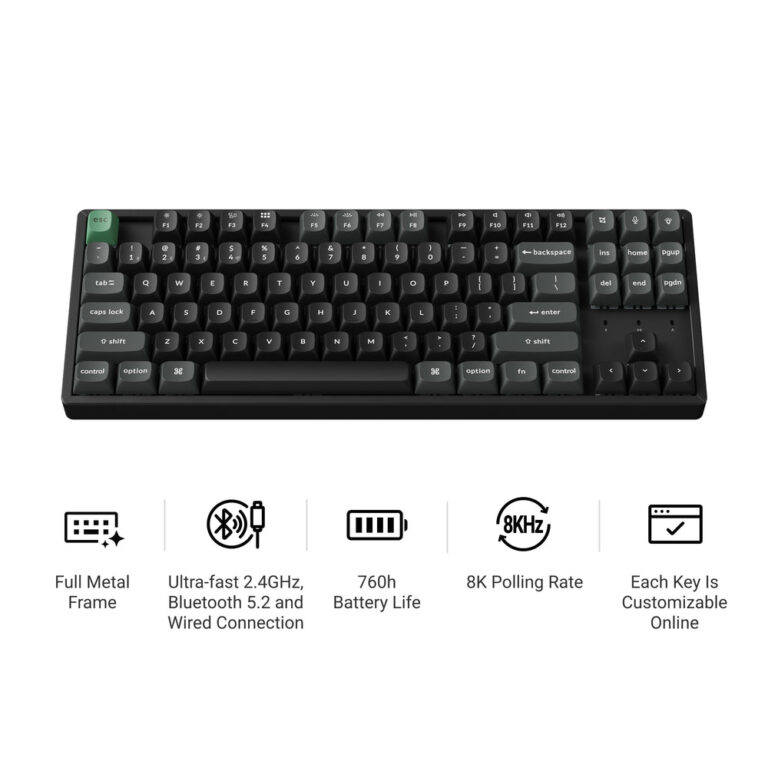
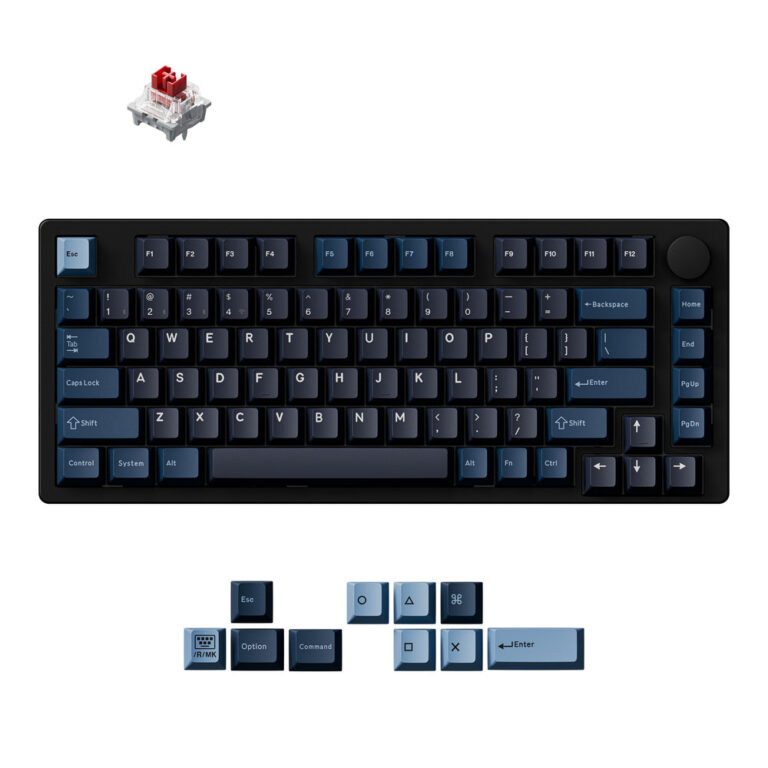
The Keychron J3 SE QMK offers a full 96% layout with numpad, 200-hour battery, and QMK support in a plastic build. The Keychron Q11 Ultra 8K is an all-aluminum split ergonomic keyboard with 8000 Hz polling, a knob, and ZMK firmware. Choose based on layout preference, build material, and polling rate needs.
If you’re searching for a detailed comparison of the Keychron J3 SE QMK Wireless Mechanical Keyboard vs Keychron Q11 Ultra 8K Wireless Custom Mechanical Keyboard, you’ve come to the right place. Both are wireless custom mechanical keyboards from Keychron, but they target different user needs: the J3 SE emphasizes a compact full-size layout with a numpad and extended battery life, while the Q11 Ultra focuses on split ergonomics, an all-metal build, and ultra-high polling rates.
Below we break down every published spec from Keychron’s official product pages. No outside opinions, no pricing—just the facts as stated by the brand. Use this comparison to decide which keyboard’s feature set matches your workflow and desk setup.
Side-by-side comparison
| Keychron J3 SE QMK Wireless Mechanical Keyboard | Keychron Q11 Ultra 8K Wireless Custom Mechanical Keyboard | |
|---|---|---|
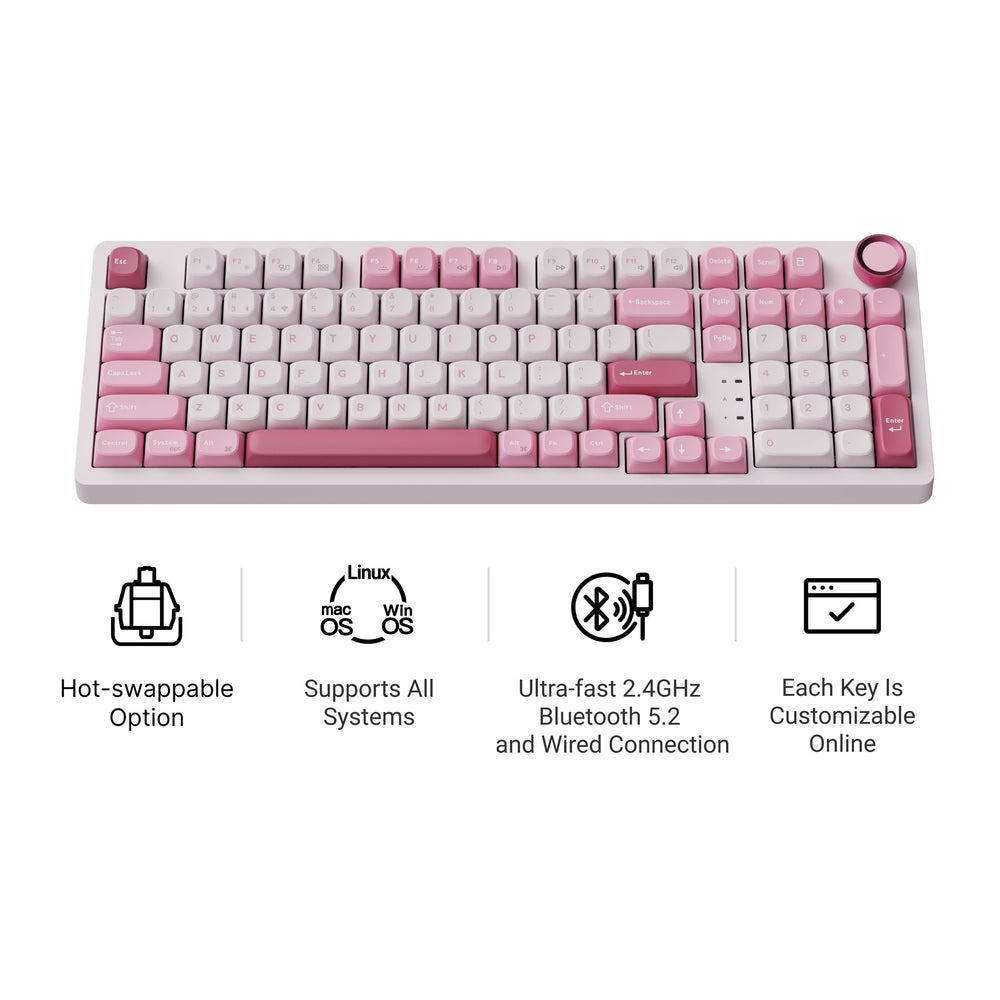
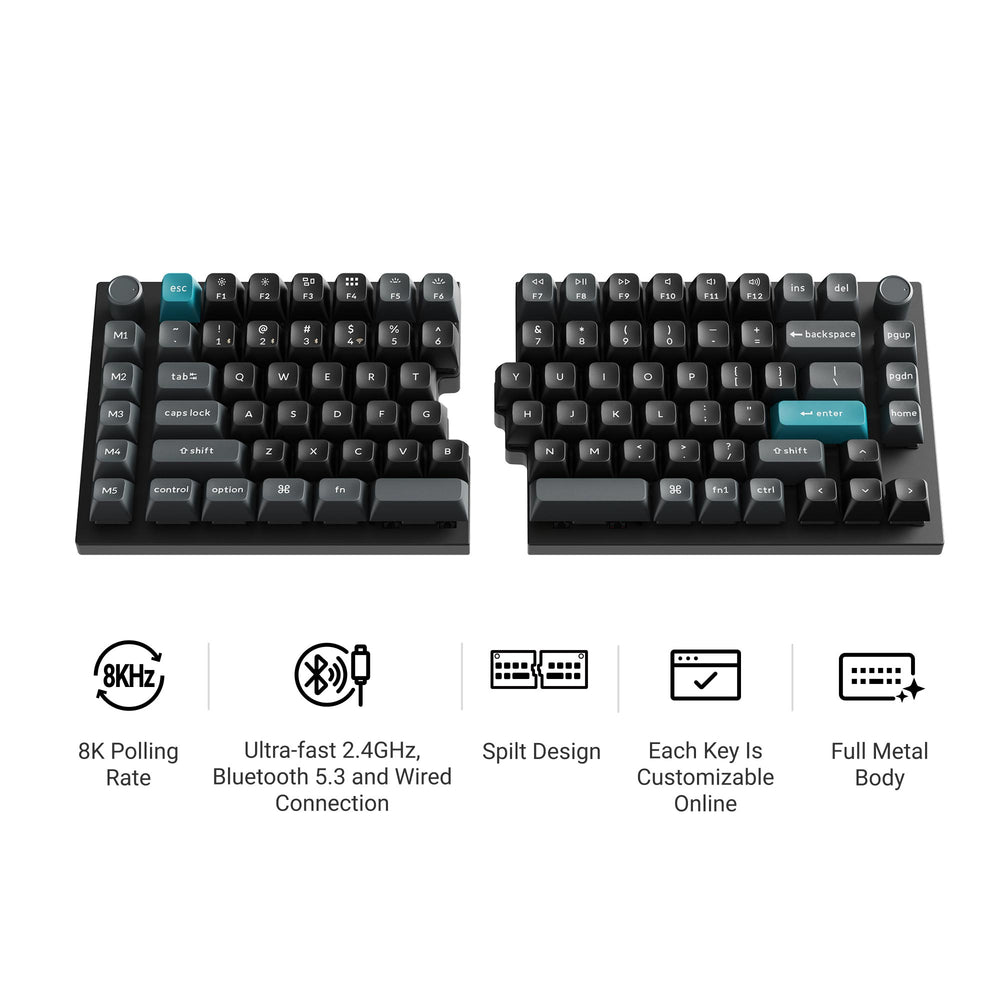
| Type | 96% layout (full-size with numpad, no gaps) | 75% split keyboard with rotary knob |
| Layout & Size | 96%, ANSI, 100% width (compact full-size) | 75%, split (two separate halves), includes knob |
| Connectivity | 2.4 GHz, Bluetooth 5.2 (up to 3 devices), wired USB-C | 2.4 GHz (true wireless syncing, no middle cable), Bluetooth, wired USB-C |
| Polling Rate | 1000 Hz (2.4 GHz & wired); 125 Hz (Bluetooth) | 8000 Hz (all modes; not specified separately) |
| Switches | Mechanical, hot-swappable (standard MX-compatible) | Keychron Silk POM Switch (Red / Brown / Banana), hot-swappable |
| Build Material | ABS plastic case | CNC aluminum case (all-metal), gasket mount, PC plate |
| Keycaps | Double-shot PBT (ABS case, PBT keycaps) | KSA double-shot PBT keycaps |
| Battery & Battery Life | 4000 mAh, up to 200 hours | 4000 mAh, up to 160 hours |
| Software & Firmware | QMK firmware, Keychron Launcher web app | ZMK firmware, Keychron Launcher web app |
Choose Keychron J3 SE QMK Wireless Mechanical Keyboard if
- Users who need a full-size layout with a dedicated numpad and function row in a compact 96% form factor
- Those prioritizing long battery life (up to 200 hours) and multi-device Bluetooth connectivity (up to 3 devices)
- Budget-conscious builders who prefer a lightweight plastic chassis and universal MX switch compatibility for hot-swapping
Choose Keychron Q11 Ultra 8K Wireless Custom Mechanical Keyboard if
- Ergonomics enthusiasts who want a true split keyboard that can be positioned independently for better posture
- Gamers or competitive typists who benefit from an 8000 Hz polling rate for lower latency
- Users who value premium build quality: all-aluminum CNC case, gasket mount, and a rotary knob for media control
Keychron J3 SE QMK Wireless Mechanical Keyboard: pros and cons
- Pro: 96% layout includes a numpad without taking extra desk space
- Pro: Long battery life (200 hours) with a large 4000 mAh battery
- Pro: QMK firmware support allows deep customization via the Keychron Launcher web app
- Con: ABS plastic build may feel less premium compared to metal options
- Con: Bluetooth polling rate is only 125 Hz, which may feel sluggish for fast-paced gaming
Keychron Q11 Ultra 8K Wireless Custom Mechanical Keyboard: pros and cons
- Pro: All-aluminum CNC case with gasket mount offers a sturdy, premium typing feel
- Pro: 8000 Hz polling rate across wireless and wired modes for ultra-low latency
- Pro: True wireless split design eliminates the need for a middle cable between halves
- Con: 75% layout lacks a dedicated numpad, which may be a deal-breaker for data entry work
- Con: Battery life is shorter at 160 hours despite the same 4000 mAh capacity (likely due to higher polling rate)
Overview of Each Keyboard
Keychron J3 SE QMK Wireless Mechanical Keyboard – This is a 96% layout (compact full-size) wireless mechanical keyboard. According to Keychron’s published data, it connects via 2.4 GHz, Bluetooth 5.2 (up to three devices), or wired USB-C. The polling rate is 1000 Hz in 2.4 GHz and wired modes, dropping to 125 Hz over Bluetooth. It uses hot-swappable standard MX switches, double-shot PBT keycaps, and an ABS plastic case. The battery is 4000 mAh, rated for up to 200 hours. It runs QMK firmware and can be customized via the Keychron Launcher web app.
Keychron Q11 Ultra 8K Wireless Custom Mechanical Keyboard – This is a 75% split keyboard with a rotary knob. Keychron states it features true 2.4 GHz wireless syncing between halves—no middle cable required. The polling rate is 8000 Hz (not separated by mode). It uses Keychron’s own Silk POM switches (Red, Brown, or Banana), which are also hot-swappable. The build is all-aluminum CNC with a gasket mount and PC plate. Keycaps are KSA double-shot PBT. Battery is 4000 mAh with a rated life of up to 160 hours. It runs ZMK firmware and is programmable via the same Keychron Launcher web app.
Where They Differ Most
The most significant differences lie in layout, build material, polling rate, and firmware. The J3 SE offers a 96% layout with a numpad—ideal for number-heavy workflows—while the Q11 Ultra is a 75% split design that can be separated for ergonomic comfort. The J3 SE uses an ABS plastic case, whereas the Q11 Ultra is CNC aluminum, giving it a much more premium feel. Polling rate is a major differentiator: the J3 SE maxes at 1000 Hz (125 Hz on Bluetooth), while the Q11 Ultra reaches 8000 Hz across all wireless and wired connections, which is beneficial for competitive gaming. Firmware also differs: the J3 SE uses QMK, while the Q11 Ultra uses ZMK; both are programmable via the same Keychron Launcher app, but the underlying firmware ecosystems have different feature sets (QMK has a larger community, ZMK is more modern for wireless). Battery life is also different: the J3 SE claims up to 200 hours, the Q11 Ultra up to 160 hours, likely because of the higher polling rate.
Which Fits Which Need (by Criteria)
If you need a numpad and maximum battery life: The Keychron J3 SE QMK is the clear choice. Its 96% layout includes the numpad without sacrificing desktop space, and its 200-hour battery outlasts the Q11 Ultra by 40 hours (based on published specs). It also supports multi-device Bluetooth for switching between three devices.
If ergonomics and build quality are top priorities: The Keychron Q11 Ultra 8K excels. The true split design lets you position each half independently, reducing wrist strain. The all-aluminum case and gasket mount provide a sturdier, more refined typing experience. The 8000 Hz polling rate also gives a latency advantage for fast-paced games.
If you prefer open-source firmware flexibility: The J3 SE runs QMK, which has a large community and many pre-built layouts. The Q11 Ultra runs ZMK, which is designed for wireless efficiency but has fewer community resources. Both are programmable via the same web app, but the underlying firmware differs.
What Neither Keyboard States
Keychron does not publish return policies, shipping timelines, or warranty terms for these products in the provided data. Therefore, we cannot compare those aspects. Neither keyboard includes information about included accessories such as cables, keycap pullers, or switch pullers—check the product page for details. Pricing is also not provided; you must visit the brand’s site for current prices. Additionally, while both keyboards are hot-swappable, the J3 SE accepts any standard MX mechanical switches, while the Q11 Ultra is only stated to work with Keychron Silk POM switches (Red/Brown/Banana) – compatibility with third-party switches is not mentioned. Both keyboards support Mac, Windows, and Linux, but that is not explicitly stated for the Q11 Ultra in the excerpt; the J3 SE explicitly mentions OS support.
See Keychron J3 SE QMK Wireless Mechanical Keyboard See Keychron Q11 Ultra 8K Wireless Custom Mechanical Keyboard
Frequently asked questions
What is the main difference between the Keychron J3 SE and Q11 Ultra?
The main differences are layout and build. The J3 SE is a 96% (compact full-size) keyboard with a numpad and an ABS plastic case. The Q11 Ultra is a 75% split ergonomic keyboard with a rotary knob and a full CNC aluminum case. The Q11 Ultra also offers a much higher 8000 Hz polling rate, while the J3 SE peaks at 1000 Hz (125 Hz on Bluetooth).
Which keyboard has better battery life?
According to Keychron’s published specs, the J3 SE has a larger battery life of up to 200 hours from a 4000 mAh battery. The Q11 Ultra uses the same 4000 mAh battery but is rated for up to 160 hours, likely because the higher 8000 Hz polling rate consumes more power.
Can I use any mechanical switches with both keyboards?
The J3 SE is stated to be hot-swappable with any standard MX mechanical switches. The Q11 Ultra comes with Keychron Silk POM switches (Red/Brown/Banana) and is also hot-swappable, but the brand does not specify compatibility with third-party switches. You may need to confirm compatibility with Keychron.
Do both keyboards support wireless and wired modes?
Yes. The J3 SE supports 2.4 GHz, Bluetooth 5.2 (up to 3 devices), and wired USB-C. The Q11 Ultra supports 2.4 GHz (true wireless syncing between halves), Bluetooth, and wired USB-C. Both have a 4000 mAh battery.
What software is used for customization?
Both keyboards use the Keychron Launcher web app for key remapping and macros. However, the underlying firmware differs: the J3 SE uses QMK firmware, while the Q11 Ultra uses ZMK firmware. The web app interface is similar, but the firmware ecosystems are different.