Makeblock offers five distinct DIY robot kits ranging from beginner-friendly mBot to advanced Ultimate class packs. Based on brand published specs, the mBot is easiest to assemble (15 minutes) while the Ultimate supports Python and Arduino C. The mBot2 Rover adds outdoor terrain capability with a customizable emoji display.
If you’re searching for ‘best diy robot kits Makeblock’, you’ve come to the right place. Makeblock provides a range of coding robot kits designed for different ages and skill levels, from elementary learners to high school students.
We’ve ranked these five DIY robot kits from beginner to advanced based on the brand’s published features, age recommendations, and coding support. Each kit is evaluated using criteria such as number of build forms, programming language support, and intended use (home vs classroom).
How we chose
- Age range as stated by Makeblock (tag data: 6+, 8+, 12+)
- Number of build forms (1-in-1 vs 3-in-1 vs 10-in-1)
- Coding language support (Scratch block-based, Arduino C, Python)
- Target environment (individual home use vs classroom/group)
- Additional features like terrain capability, display screen, sensor modules
At a glance
| Product | Best for | Published specs |
|---|---|---|
| Makeblock mBot: Kid's First Robot Kit for DIY and STEM Learning | Best for beginners based on listed specs | 15-minute assembly time; Supports Scratch block-based and Arduino C coding; Free apps with remote control and coding games |
| Makeblock mBot2 Rover Robotics Kit: Kid's Interactive Emo Robot for Coding Learning and Outdoor Play | Best for outdoor play based on listed specs | 3 build forms: mBot2, Rover, Ranger; Full-color display with customizable emojis; Shock-resistant tracks for multi-terrain use |
| Makeblock mBot Ranger: 3-in-1 Robotics Kit for Building Robots from Scratch | Best for versatility based on listed specs | 3-in-1: robot tank, self-balancing robot, racing car; All-terrain capabilities (grass, gravel, sand); Supports Scratch and Arduino C coding |
| Makeblock® mBot Ranger Coding Robot Kit Bulk Purchasing For School | Best for classrooms based on listed specs | Aluminum body for classroom durability; Engages 1-2 students per pack; 3-in-1 build: tank, self-balancing robot, racing car |
| Makeblock mBot Ultimate 10-in-1 Robotics Class Pack for Schools & Groups | Best for advanced learners based on listed specs | 10-in-1 build options; Aluminum body for durability; Supports Scratch, Arduino IDE, and Python |
1. Makeblock mBot: Kid's First Robot Kit for DIY and STEM Learning
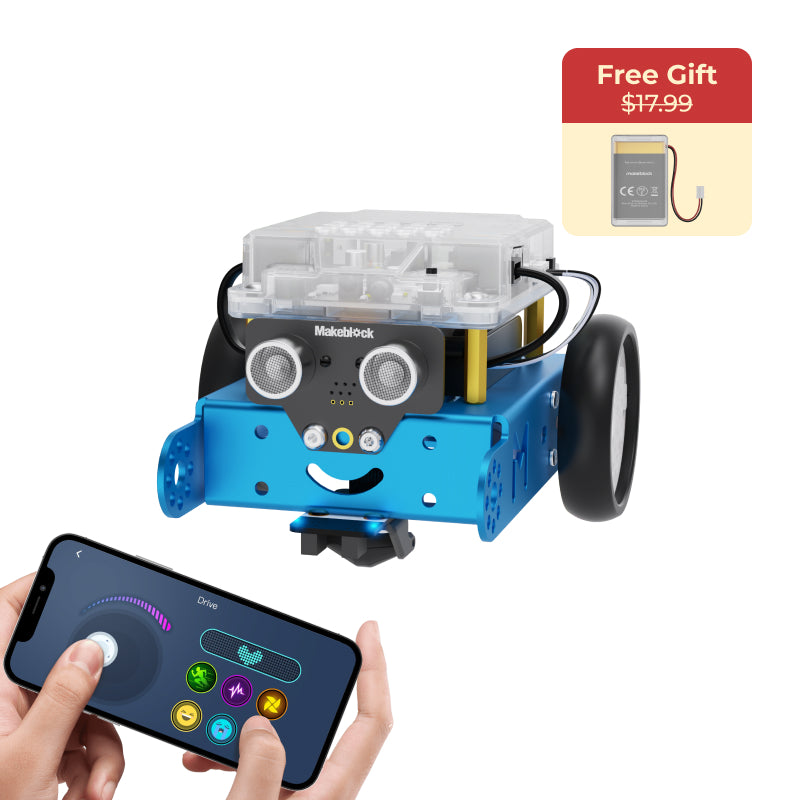
Based on the brand’s published specs, the Makeblock mBot is designed as a first robot kit for kids. It can be assembled in 15 minutes and you can start coding within an hour. The kit supports block-based programming with a progression to text-based coding using Arduino C. According to the brand, it is well suited for beginners.
mBot comes with free apps for remote control and coding games. It also includes screen-free coding cards and step-by-step activities. The tag information indicates compatibility with ages 6+ to 8-12, making it suitable for elementary-level learners. You can customize your mBot to expand creativity.
- 15-minute assembly time
- Supports Scratch block-based and Arduino C coding
- Free apps with remote control and coding games
- Age range: 6+ to 8-12 (per brand tags)
- Customizable design
Skip it if: Skip if you need a kit with multiple build forms or outdoor terrain capabilities.
2. Makeblock mBot2 Rover Robotics Kit: Kid's Interactive Emo Robot for Coding Learning and Outdoor Play
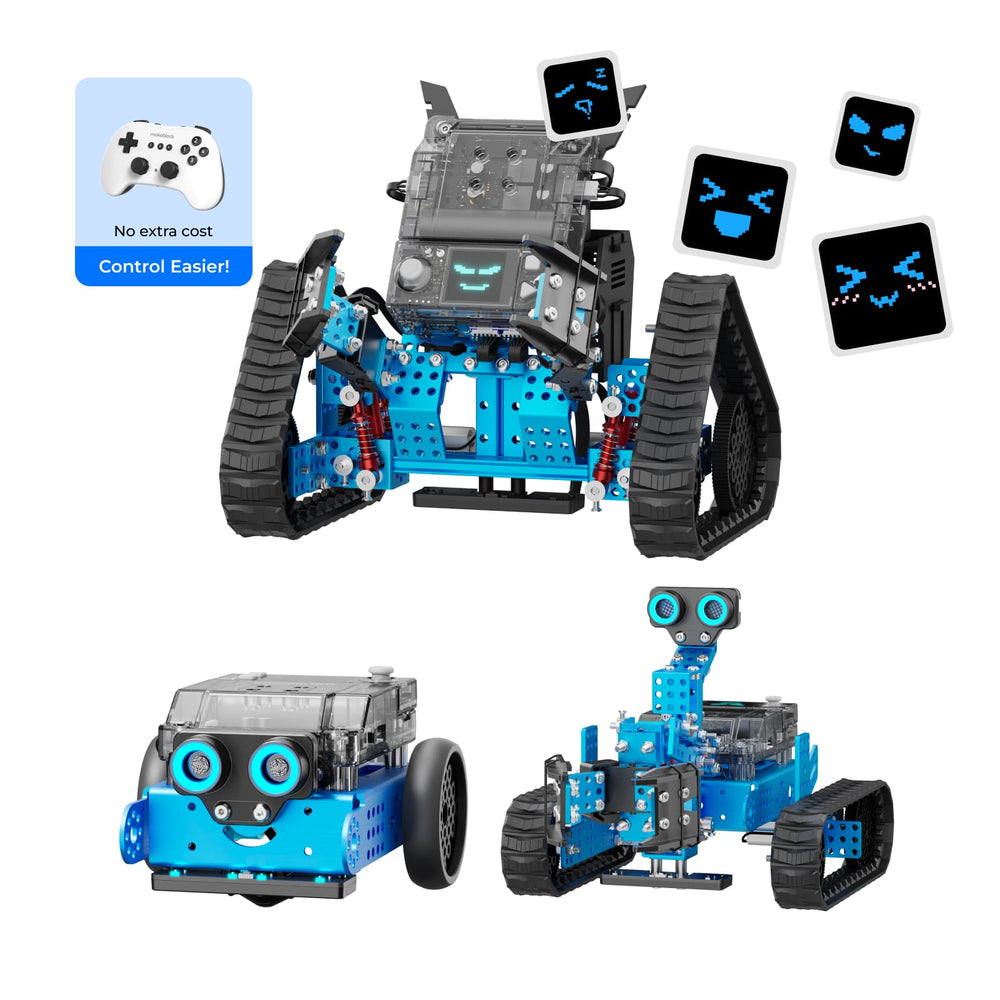
The mBot2 Rover Robotics Kit offers three build forms: mBot2, Rover tank with DIY emojis, and Ranger tank with a robotic arm. According to the brand, it features a full-color display screen that supports custom emojis via AI generation or free doodling in mBlock software. The innovative robot track design includes two types for outdoor exploration on multi-terrains with shock resistance.
This kit also allows you to build two types of robotic arms, sparking engineering thinking. It supports coding learning from block-based to more advanced languages. The robot can perform line following, obstacle avoidance, light sensing, dancing, and playing music. Based on tags, it is recommended for ages 8-12 and up.
- 3 build forms: mBot2, Rover, Ranger
- Full-color display with customizable emojis
- Shock-resistant tracks for multi-terrain use
- Supports block-based to advanced coding
- Rich actions: line following, obstacle avoidance, music
Skip it if: Skip if you prefer a simpler, single-form robot or if the age 8+ range is too advanced.
3. Makeblock mBot Ranger: 3-in-1 Robotics Kit for Building Robots from Scratch
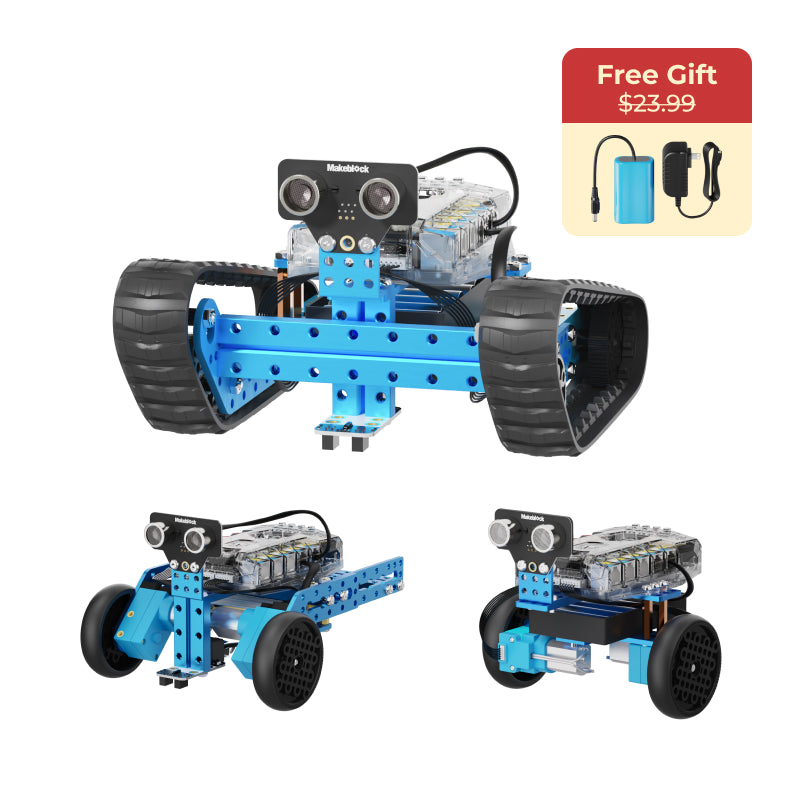
The Makeblock mBot Ranger is a 3-in-1 robotics kit that lets you build a robot tank, self-balancing robot, or racing car. The brand states it can conquer flat roads, grasslands, gravel, and sandy beaches with ease. It supports both Scratch block-based and Arduino C coding, allowing progression from beginner to expert levels.
You get free apps and resources with access to 16+ coding and robotics projects through the Makeblock Help Center. Based on tags, it is suitable for ages 8+ and 12+. The kit includes various modules such as ultrasonic sensor, line-tracking sensor, gyroscope, RGB LEDs, and more. It is designed for classrooms, workshops, and home projects.
- 3-in-1: robot tank, self-balancing robot, racing car
- All-terrain capabilities (grass, gravel, sand)
- Supports Scratch and Arduino C coding
- 16+ coding projects available
- Includes multiple sensors: ultrasonic, line tracking, gyroscope, temperature
Skip it if: Skip if you need a kit with a built-in display screen or if you are looking for a single-form robot.
4. Makeblock® mBot Ranger Coding Robot Kit Bulk Purchasing For School
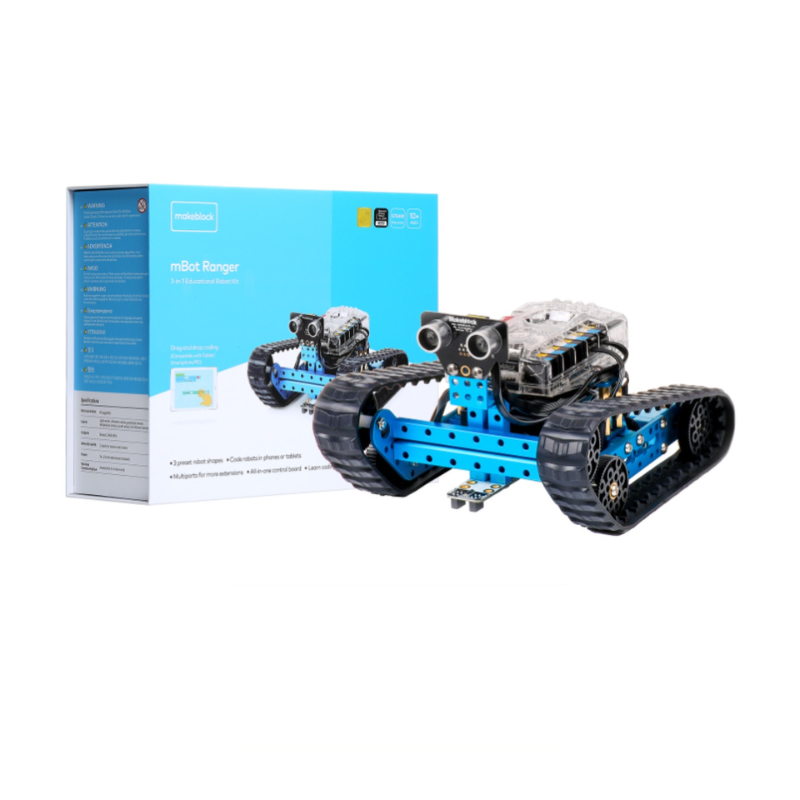
The mBot Ranger Coding Robot Kit Bulk Purchasing option is designed for schools and groups. Based on the brand’s published specs, it uses an aluminum robot body for long-term durability in classrooms and homeschooling. Each pack engages 1-2 students with one robot, and includes expandable building components, electronics, and a toolkit.
This bulk version provides the same 3-in-1 capabilities (robot tank, self-balancing robot, racing car) as the standard mBot Ranger, but with the convenience of bulk ordering. It includes various sensors and a Bluetooth module. Free apps and resources come with 20+ coding and robotics cases, as stated in the description. Tags indicate suitability for ages 8+ to 12+ (K3-K8).
- Aluminum body for classroom durability
- Engages 1-2 students per pack
- 3-in-1 build: tank, self-balancing robot, racing car
- 20+ coding and robotics cases included
- Sensors: ultrasonic, line tracking, gyroscope, temperature, RGB LEDs
Skip it if: Skip if you need a kit for individual home use rather than a classroom or group setting.
5. Makeblock mBot Ultimate 10-in-1 Robotics Class Pack for Schools & Groups
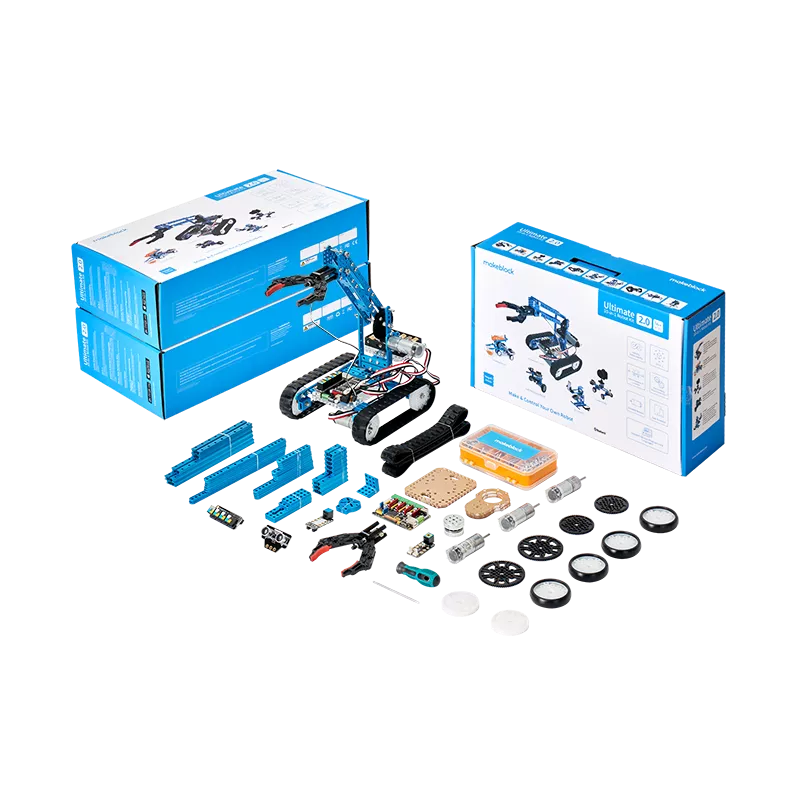
The mBot Ultimate 10-in-1 Robotics Class Pack is intended for schools and groups with older students. According to the brand, it features an aluminum robot body for long-term use. Each pack engages 1-2 students with one robot and includes expandable building components, electronics, and a toolkit. It provides a standard-aligned curriculum with detailed teaching guides and professional training.
This kit helps students learn visual programming with Scratch block-based coding, then progress to Arduino IDE and Python. Tags indicate it is for ages 12+ and up (K8-K12). It is a comprehensive solution for high school and homeschooling environments that require a serious coding and robotics platform.
- 10-in-1 build options
- Aluminum body for durability
- Supports Scratch, Arduino IDE, and Python
- Standard-aligned curriculum included
- Designed for ages 12+ (per brand tags)
Skip it if: Skip if you are looking for a kit for younger children or for individual non-classroom use.
How to choose
When selecting a Makeblock DIY robot kit, consider the following factors based on the brand’s published specs:
- Age and skill level: mBot (ages 6+ to 8-12) is best for beginners. mBot2 Rover (ages 8+) and mBot Ranger (ages 8+) offer more complexity. mBot Ultimate (ages 12+) targets advanced learners.
- Build forms: mBot is a single-form robot. mBot2 Rover and mBot Ranger are 3-in-1. mBot Ultimate offers 10-in-1 builds. More forms provide longer engagement.
- Coding languages: All kits support Scratch block-based coding. mBot2 Rover, mBot Ranger, and mBot add Arduino C. mBot Ultimate also supports Python.
- Intended use: For individual home use, consider mBot or mBot2 Rover. For classrooms or groups, the class packs (mBot Ranger for classroom, mBot Ultimate for classroom) include bulk components and curriculum.
- Environment: mBot2 Rover includes shock-resistant tracks for outdoor terrain. mBot Ranger also claims all-terrain ability. mBot and mBot Ultimate are more suited for indoor use.
What the brand does not state
Based on the available published information, Makeblock does not disclose the following details:
- Battery life or battery type (rechargeable vs disposable) for any robot kit.
- Exact dimensions or weight of each kit or assembled robot.
- Number of pieces or parts included in each kit.
- Warranty terms (the brand states ‘not stated’ for warranty policy).
- Specific delivery times for international orders; the brand currently does not accept international orders from the US store.
- Motor specifications (speed, torque, encoders).
- Whether tools (screwdriver, etc.) are included besides the toolkit mentioned for class packs.
Frequently asked questions
Which Makeblock DIY robot kit is best for beginners?
Based on brand published specs, the mBot is designed as a first robot kit with 15-minute assembly and block-based coding, suitable for ages 6+ to 8-12.
What age range does the mBot2 Rover support?
According to Makeblock’s tags, the mBot2 Rover is suitable for ages 8-12 and 8+ (K3-K8 to K8-K12).
Can I program the mBot Ultimate with Python?
Yes, based on the brand’s description, the mBot Ultimate supports Scratch, Arduino IDE, and Python programming.
Does Makeblock offer bulk purchasing for classrooms?
Yes, the brand offers mBot Ranger and mBot Ultimate in class pack versions that include multiple components for groups.
What sensors are included in the mBot Ranger kit?
According to the brand, it includes an ultrasonic sensor, line-tracking sensor, 2 light sensors, gyroscope sensor, 12 RGB LEDs, buzzer, temperature sensor, and Bluetooth module.