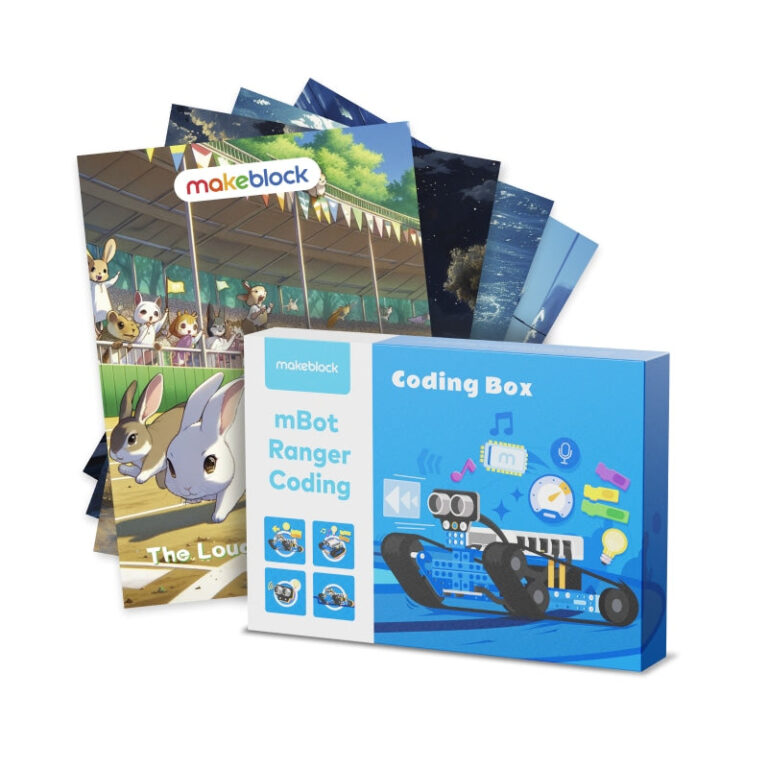
Makeblock’s coding toy lineup covers ages 4 through 12+ with screen-free options for preschoolers, interactive robots for elementary learners, and programmable microcontrollers for advanced students. Based on published specs, the CyberPi offers the most versatile programming learning, while mTiny is ideal for early childhood screen-free education.
If you searched for best coding toys Makeblock, you already know the brand focuses on STEAM education through programmable robots and kits. Based solely on Makeblock’s published information, we’ve selected five coding toys that stand out for different age groups and learning environments.
Our ranking criterion is age suitability and feature complexity. We start with preschool-friendly screen-free coding, then move to interactive robots for elementary students, and finish with advanced modular systems for middle school and beyond. Each product below is described using only the brand’s own specs and descriptions.
How we chose
- Age range explicitly stated in product tags or description (Pre K–K3, elementary, age 12+).
- Learning tools included: screen-free cards, block-based coding, Python support, or IoT capabilities.
- Expandability and compatibility with other Makeblock modules (e.g., mBuild modules).
- Classroom suitability: single-pack vs. multi-pack options, and bulk benefits mentioned by the brand.
- Ease of use: ready out of the box, no building needed, or tangible coding elements.
At a glance
| Product | Best for | Published specs |
|---|---|---|
| Makeblock mTiny Smart Robot for Preschoolers | Best for preschool screen-free learning based on listed specs | Age range: 4–8 (stated in tags and description); Screen-free coding with tangible cards and tap-pen; 3 dress-ups, 10+ facial expressions, 300+ sound effects |
| Makeblock Codey Rocky: Smart Robot Toy for Interactive Playing and Learning | Best for elementary beginners who want interactive emo-robot based on listed specs | Age 6+ (from tags and description); 10+ electronic modules for emotional expression; Supports block-based and Python coding |
| Makeblock CyberPi: Educational Electronics Kits for Beginners to Learn Programming | Best for learning computer science and Python coding based on listed specs | Age 12+ (from tags); Built-in sensors and full-color display; Teaches block-based and Python coding |
| Makeblock Codey Rocky Coding Robot for Beginners Class Pack for Schools & Groups | Best for school groups and classrooms based on listed specs | Age 6+ (from tags); Bulk option: 6 Pcs with free Bluetooth Remote Controller; 10+ electronic modules for emotional expression |
| Makeblock mBuild modules for mBot2 & CyberPi | Best for expanding existing Makeblock projects based on listed specs | Over 30 modules available, more coming; Breadboard-free connection (head-to-tail); Compatible with mBot2 and CyberPi |
1. Makeblock mTiny Smart Robot for Preschoolers
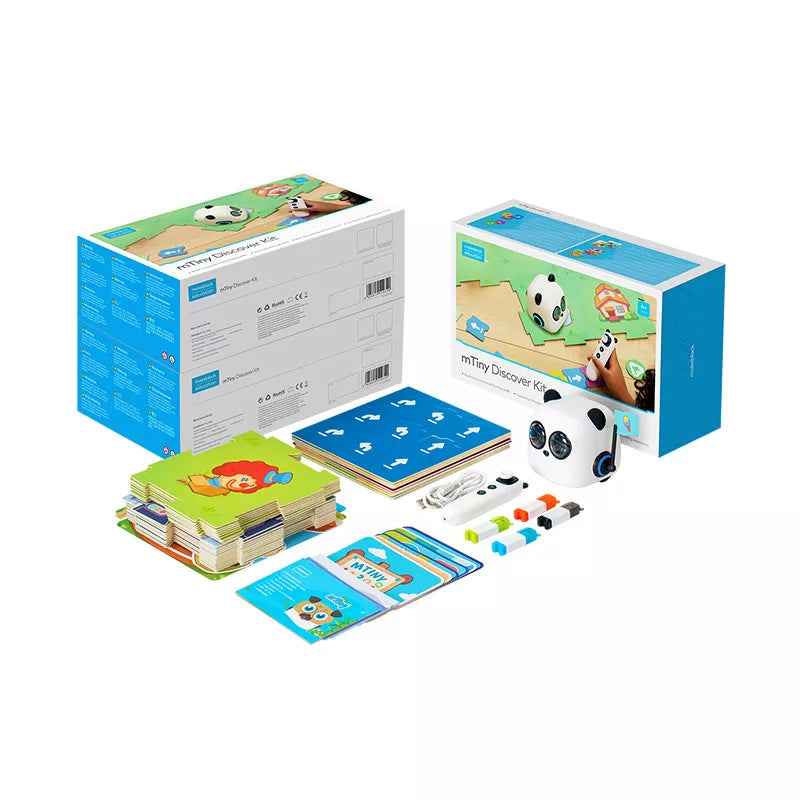
The Makeblock mTiny Smart Robot for Preschoolers is designed for children ages 4–8, focusing on tangible, screen-free programming. According to the brand, it includes coding cards, themed maps, and a tap-pen to teach sequencing and logic without a device. The robot itself has 3 dress-ups, 10+ facial expressions, and 300+ sound effects, making it an engaging interactive tool for young learners.
Makeblock states that mTiny is ready to use out of the box and comes with rich teaching resources. The brand also offers a bulk option: buying 6 units includes a free mTiny Town & Grassland add-on pack. This product fits best in early childhood classrooms or home environments where screen time is limited.
- Age range: 4–8 (stated in tags and description)
- Screen-free coding with tangible cards and tap-pen
- 3 dress-ups, 10+ facial expressions, 300+ sound effects
- Bulk option: 6 Pcs with free add-on pack
- Engages 1–2 students per pack with 1 robot
Skip it if: Skip this if the child is over 8 or prefers screen-based programming.
2. Makeblock Codey Rocky: Smart Robot Toy for Interactive Playing and Learning
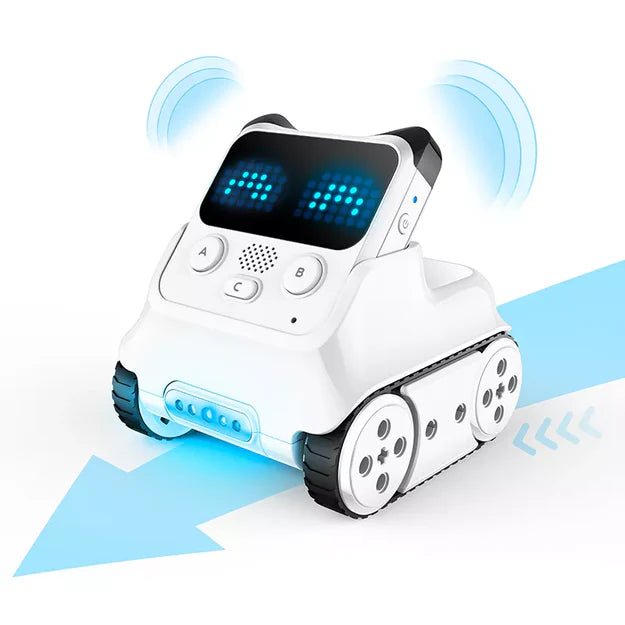
Codey Rocky is an interactive robot toy for kids aged 6 and up, as indicated by the brand’s tags. It features over 10 electronic modules that allow the robot to display emotional expressions. Makeblock says the robot can be customized with LEGO bricks, laser-cutting parts, and colorful paper. No building is needed – it is ready to use out of the box.
The robot supports both block-based and Python programming, making it a good stepping stone from visual coding to text-based languages. The brand notes that Codey Rocky can be used for various activities such as maze games, line-following, and building projects. It is designed for both home and classroom use, with 20+ coding and robotics cases available in the Makeblock Help Center.
- Age 6+ (from tags and description)
- 10+ electronic modules for emotional expression
- Supports block-based and Python coding
- Customizable with LEGO bricks and laser-cut parts
- 20+ coding & robotics cases in Help Center
Skip it if: Skip this if you need a robot that works without any building at all – this one requires some creativity for customization.
3. Makeblock CyberPi: Educational Electronics Kits for Beginners to Learn Programming
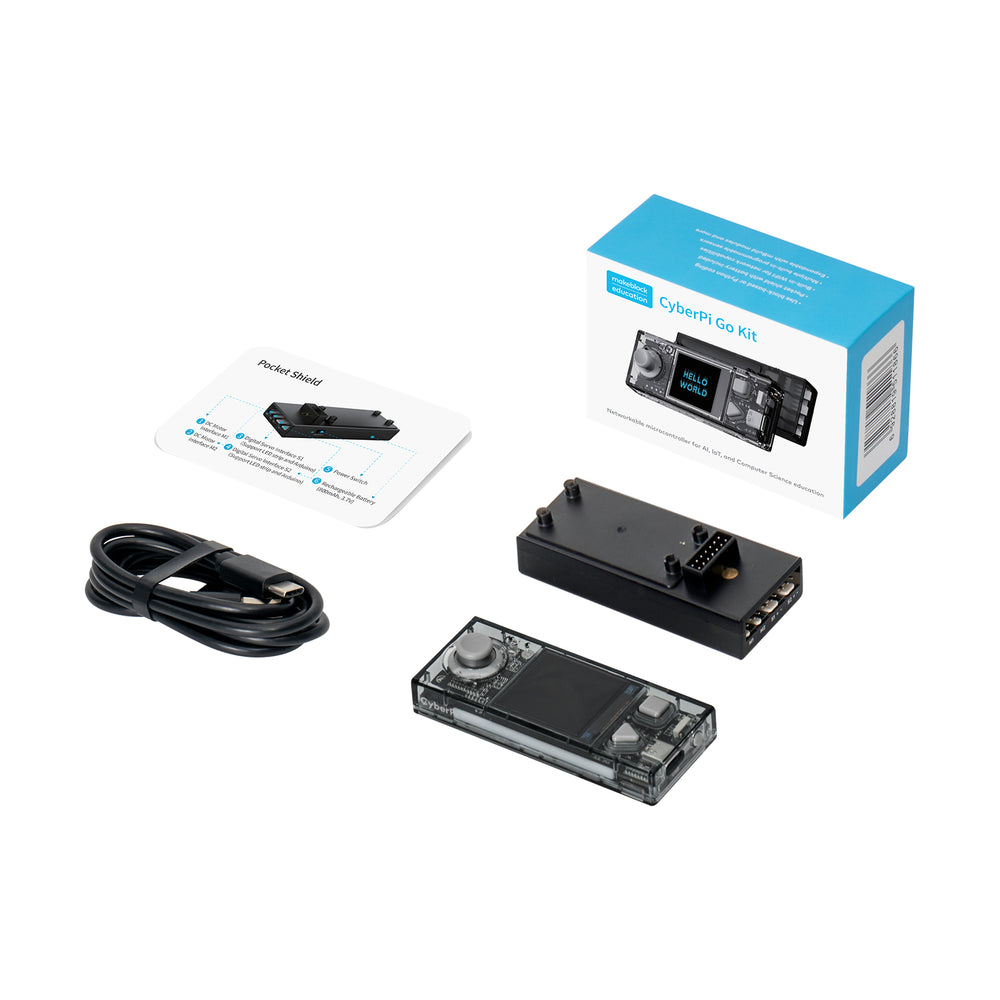
The Makeblock CyberPi is described as a multi-function microcontroller for learning computer science. It includes built-in electronic sensors and a full-color display screen. According to the brand, it supports both block-based and Python coding, making it suitable for beginners who want to advance. CyberPi has a rechargeable long-lasting battery and is designed for ages 12+.
This product goes beyond simple robot toys – it is an educational electronics kit that can be used to teach IoT, AI, and programming concepts. Makeblock states that it comes with free curriculum resources. The CyberPi is compatible with mBuild modules, allowing for expansion into more complex projects. It is ideal for upper elementary through high school students who want a genuine coding experience.
- Age 12+ (from tags)
- Built-in sensors and full-color display
- Teaches block-based and Python coding
- Rechargeable long-lasting battery included
- Compatible with mBuild modules for expansion
Skip it if: Skip this for children under 12 or if you prefer a robot with a pre-assembled body rather than a bare microcontroller.
4. Makeblock Codey Rocky Coding Robot for Beginners Class Pack for Schools & Groups
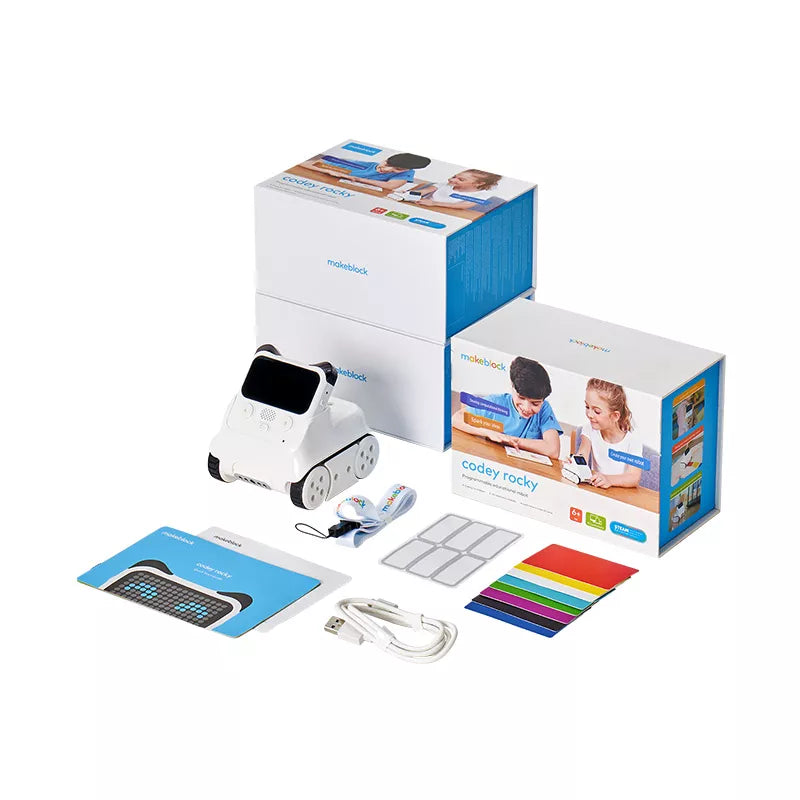
The Codey Rocky Class Pack for Schools & Groups is designed for classroom deployment. Makeblock states that each pack engages 1–2 students per robot. The bulk option (6 pieces) includes a free Bluetooth Remote Controller. The robot itself has the same features as the single Codey Rocky: 10+ electronic modules, emotional expressions, and support for both block-based and Python coding.
This version is specifically marketed for educators. The brand notes it contains 20+ coding and robotics cases in the Makeblock Help Center. No building is needed, and the robot is ready to use immediately. The classroom pack makes it easier for schools to purchase multiple units in one order, with the added benefit of a remote controller for group activities.
- Age 6+ (from tags)
- Bulk option: 6 Pcs with free Bluetooth Remote Controller
- 10+ electronic modules for emotional expression
- Supports block-based and Python coding
- 20+ coding & robotics cases in Help Center
Skip it if: Skip this if you only need one robot for home use – the single unit version may be more appropriate.
5. Makeblock mBuild modules for mBot2 & CyberPi
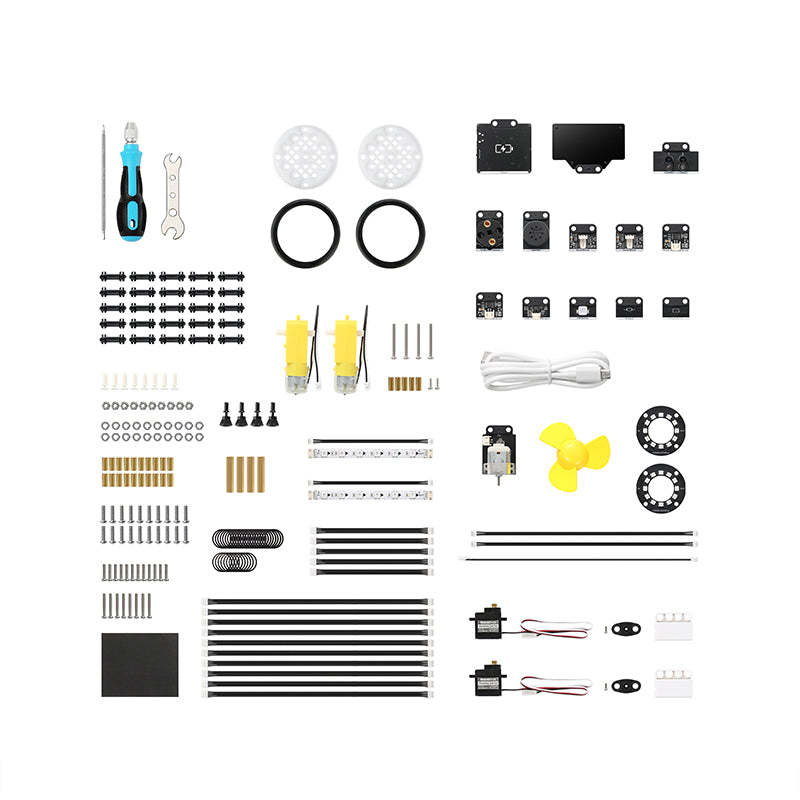
The Makeblock mBuild modules are electronic building blocks designed for use with mBot2 and CyberPi. According to the brand, over 30 mBuild electronic modules are available, with more to come. They are breadboard-free – you connect them head to tail to make multiple sensors work simultaneously. The modules are highly compatible with almost all mainstream open-source hardware.
Makeblock states that no pre-coding experience is needed, and the free mBlock 5 platform supports both block and Python coding. These modules allow users to create custom projects based on their ideas, participate in robotics competitions, or expand on existing Makeblock robots. This is not a standalone toy but an add-on system for those who already have a Makeblock platform.
- Over 30 modules available, more coming
- Breadboard-free connection (head-to-tail)
- Compatible with mBot2 and CyberPi
- Works with mBlock 5 coding platform
- No pre-coding experience needed
Skip it if: Skip this if you do not already own a compatible Makeblock robot (mBot2 or CyberPi) – these modules are expansions, not standalone toys.
How to Choose a Makeblock Coding Toy
When selecting from Makeblock’s coding toys, consider the child’s age first. The brand tags show three primary age brackets: Pre K–K3 (ages 4–8) for mTiny, elementary (ages 6+) for Codey Rocky, and age 12+ for CyberPi and mBuild modules. Younger children benefit from screen-free, tangible coding cards, while older students can handle text-based Python.
Also evaluate the learning environment. For individual home use, a single robot like Codey Rocky or CyberPi works well. For classrooms or groups, Makeblock offers multi-pack versions (e.g., mTiny and Codey Rocky classroom packs) that include extra accessories like remote controllers or add-on packs. Finally, check if the toy is expandable – mBuild modules allow you to add sensors later.
What the Brand Does Not State
Makeblock does not publish warranty terms in the provided data – any warranty information should be confirmed directly with the brand. The shipping policy applies to the US only; international orders are not accepted through the main store. Return shipping costs are the buyer’s responsibility, and refunds may take up to 3 billing cycles to appear on credit card statements.
The brand also does not disclose the exact battery life for any of its products, nor does it specify the number of lessons in the free curriculum. Pricing is not listed in the data – you will need to visit makeblock.com to check current prices. Finally, while mBuild modules claim compatibility with ‘almost all mainstream open-source hardware,’ no specific list of compatible third-party boards is provided.
Frequently asked questions
What age group is Makeblock mTiny designed for?
Based on the brand’s tags and description, mTiny is designed for ages 4–8 (Pre K–K3). It uses screen-free coding cards, making it suitable for preschoolers and early elementary children.
Can Makeblock CyberPi be used with other Makeblock products?
Yes. Makeblock states that CyberPi is compatible with mBuild modules, allowing you to add sensors and expand projects. It is a microcontroller that works with mBot2 and other compatible platforms.
Does Makeblock offer classroom packs of their coding toys?
Yes. The brand offers bulk options for mTiny (6-pack with free add-on) and Codey Rocky (6-pack with free Bluetooth Remote Controller). These are marketed for schools and groups.
What programming languages do Makeblock coding toys support?
According to the brand, Codey Rocky and CyberPi support both block-based coding and Python. The mTiny uses tangible coding cards (no screen). mBuild modules work with the mBlock 5 platform, which supports both block and Python coding.
What is the warranty for Makeblock coding toys?
Makeblock does not state a warranty policy in the provided data. You should contact Makeblock customer service at service@makeblock.com for warranty details before purchasing.